
 Tiếng Việt
 한국어
한국어 日本語
日本語Article· Updated September 29, 2026
What Is a Smart Locker? Structure, How It Works, Pros, Cons & Applications
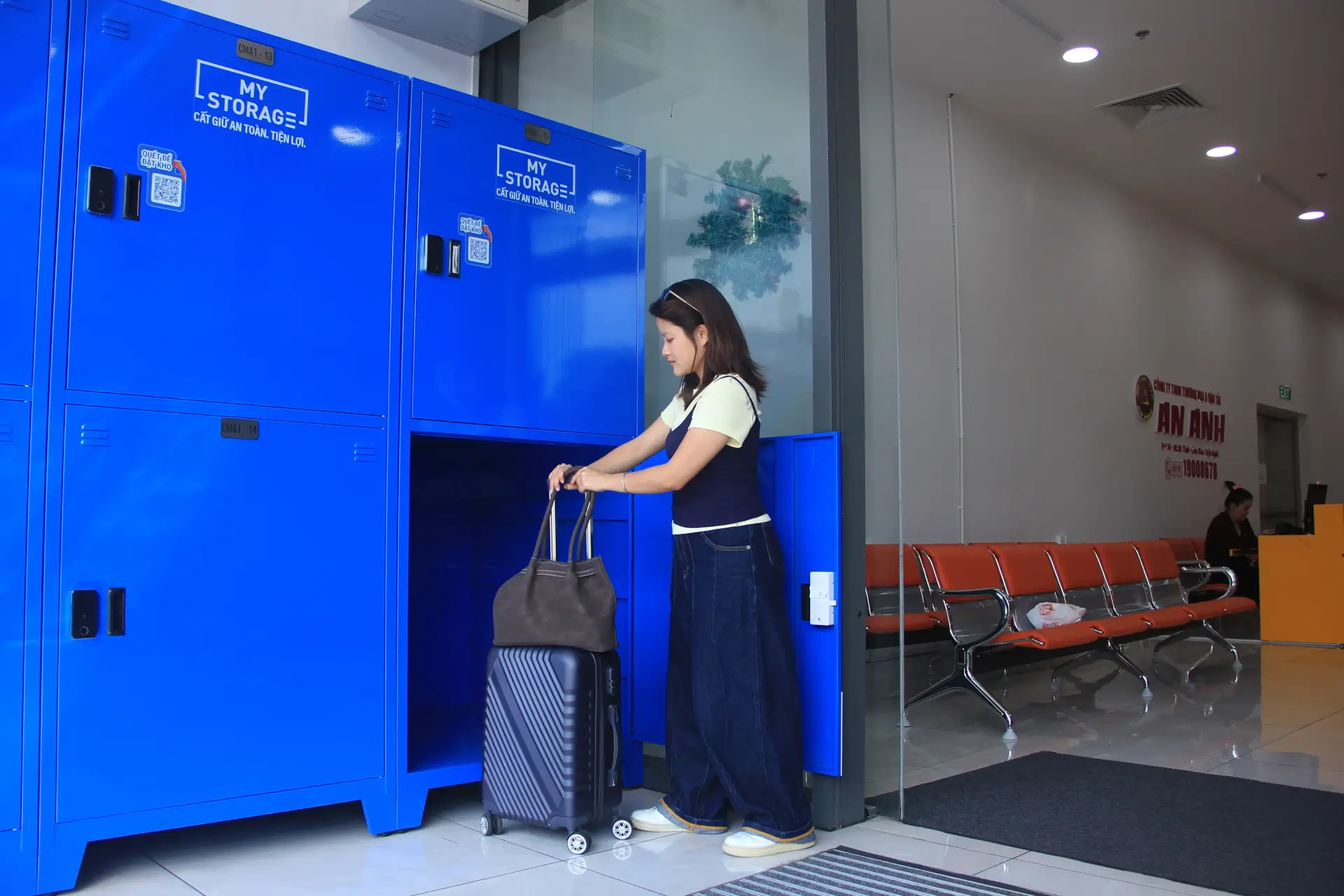
MyStorage Smart Locker Offer: 20% Off
All locker sizes · All rental durations · All smart locker locations
Locker rental from just VND 40,000/hour. Discount applied automatically when booking · 28 September–20 October 2026.
A Smart Locker builds on the familiar storage locker by adding electronic locks and digital management. Depending on the configuration, users can open a compartment with a PIN, QR code, RFID or magnetic card, fingerprint or mobile app. Beyond replacing a physical key, the system helps manage access in places where many people share the same facilities.
What Is a Smart Locker? Structure and Operating Process
A Smart Locker combines an electronic lock with user authentication. When someone enters a code, scans a QR code, taps an RFID card or completes another supported step, the system checks their access rights and opens the assigned compartment. This allows users to access their own space without having a member of staff hand over a key.
How Is a Smart Locker Different from a Traditional Locker?
The main differences lie in how the compartment is opened, how users are managed and how much of the operation can be automated.
- Traditional locker: uses a key, mechanical lock or combination lock.
- Smart Locker: uses an electronic lock with PIN, QR, RFID, fingerprint or app-based authentication.
- Management capability: a Smart Locker can assign access by user, group or time period, which is difficult to achieve with a traditional locker.
Basic Structure of a Smart Locker
A complete Smart Locker system combines a durable physical cabinet with electronic components and management software.
- Cabinet body and compartments: the main structure used to protect goods or personal belongings.
- Electronic lock: locks and unlocks a compartment after receiving an authorised signal.
- Controller: processes authentication data and controls the electronic lock.
- Screen or control panel: displays operating instructions when included in the configuration.
- Authentication system: identifies users through PIN, QR, RFID, fingerprint or an application.
- Management software: lets administrators monitor status and grant or revoke access remotely when the system is connected.
How Does a Smart Locker Work?
The user journey normally follows four connected steps, from authentication to recording the final door status.
- User authentication: the system checks a PIN, QR code, RFID card, magnetic card, fingerprint or information from a mobile application.
- Compartment identification: after successful authentication, the system matches the user with the correct assigned compartment.
- Unlocking and use: the controller activates the electronic lock so the user can store or retrieve belongings.
- Closing and ending the session: the system records the door status, closes the session and may store an activity log when supported.
After putting belongings inside, users should close the compartment and check that it has locked before leaving. The confirmation method varies between systems, so follow the instructions displayed at the locker and keep the access details until all belongings have been collected.
Common Smart Locker Types and Locking Technologies
Smart Lockers can use several authentication methods. Each technology suits a different operating model and user group, so the choice should reflect security needs, traffic volume and management requirements.
|
Technology |
How it is used |
Best suited for |
Points to consider |
|---|---|---|---|
|
PIN |
Enter a number issued in advance |
Small offices and moderate usage |
A secure process is needed for issuing and changing codes |
|
QR code |
Scan a code received by message, email or booking system |
Events, parcel collection and short-term storage |
The code expiry period must be controlled |
|
RFID or magnetic card |
Tap an employee or membership card |
Offices, schools and factories |
Works best where an access-card system already exists |
|
Fingerprint |
Use biometric authentication |
Areas that require higher security |
Costs more and the sensor needs maintenance |
|
Mobile application |
Grant access and unlock through a phone |
Large systems with central management |
Depends on software and connectivity |
The locking technology also shapes how the system will be operated. When deciding whether to buy or rent lockers, operators should establish who will issue codes, handle lost cards and maintain the equipment. These responsibilities belong in the overall cost assessment alongside the lockers and software.
Smart Locker Advantages, Limitations and Practical Applications
Smart Lockers automate access control, reduce dependence on physical keys and support many users. In return, they usually require a higher initial investment and more technical support than traditional lockers, especially when software or a network connection is involved.
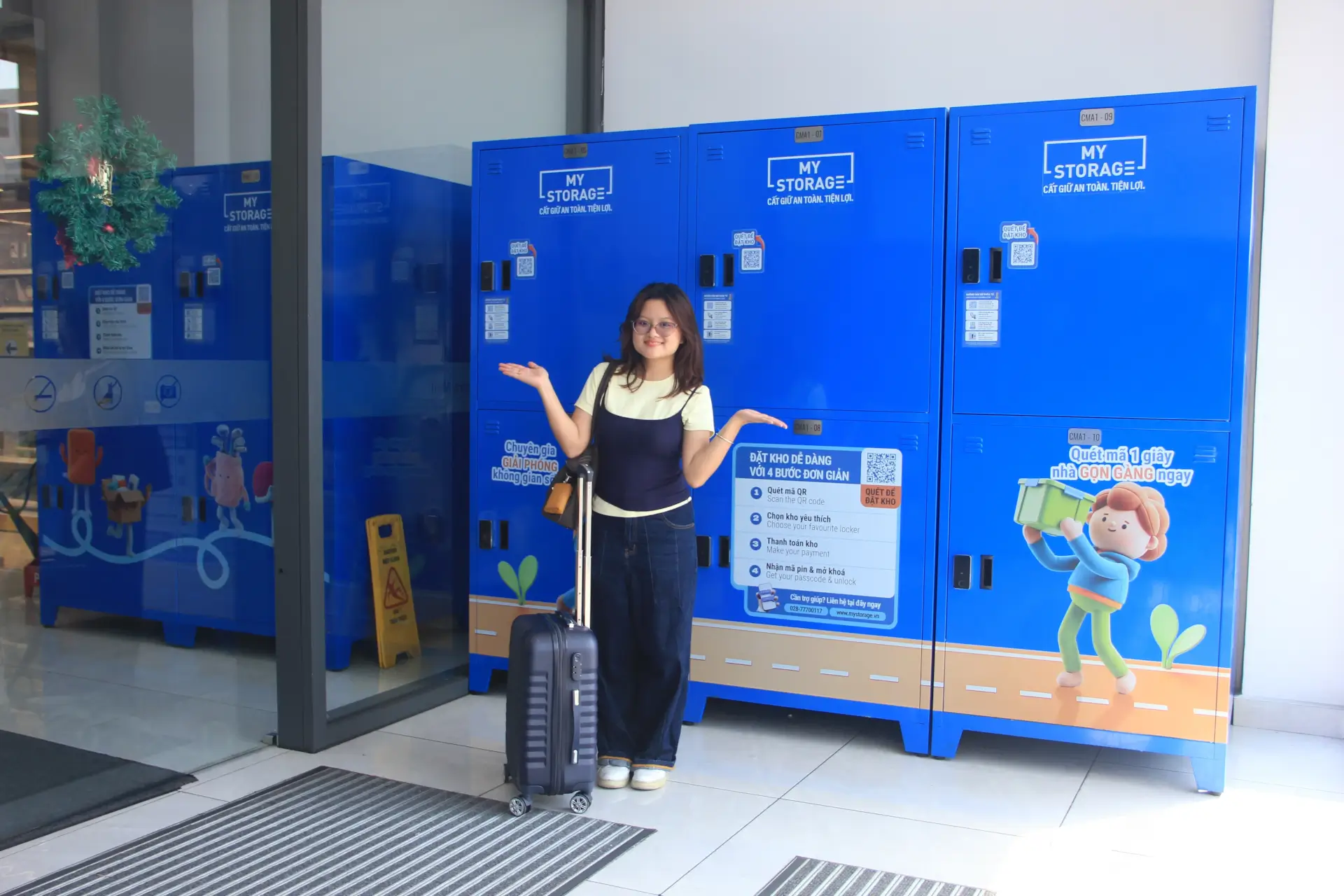
Real-world applications range from workplaces and residential buildings to schools, retail sites and events. Each location should select compartment sizes, locking technology and management methods that match its users.
Advantages of Smart Lockers
The greatest benefits appear at busy locations that require clear access control and reliable usage records.
- Access control: only authorised users can open their assigned compartments.
- Multi-user management: access can be created and adjusted easily for a large number of users.
- Access history: the system can record time and frequency of use for monitoring and reconciliation.
- Less manual key management: reduces the risk of lost keys and the need for spare copies.
- Convenient and professional experience: supports a modern user journey in offices, buildings and service locations.
Limitations of Smart Lockers
Before implementation, operators should assess both the upfront investment and the technical resources required throughout the equipment lifecycle.
- Investment cost: higher than traditional lockers, especially for fingerprint systems or management software.
- Power dependency: most Smart Lockers need electricity unless a backup battery is included.
- Maintenance requirements: readers, sensors, locks and controllers should be checked periodically.
- Software or connectivity dependency: network problems may affect part or all of the locker system.
These limitations need a practical response before the lockers enter service. Who should users contact if a compartment will not open? How will staff help during a power or connection failure? Clear procedures make it easier to resolve problems without leaving users unsure how to retrieve their belongings.
Where Are Smart Lockers Used?
|
Location |
Application |
Common requirement |
|---|---|---|
|
Office |
Personal items, devices and documents |
Access by employee or shift |
|
Apartment building |
Resident lockers and personal storage |
Easy use and apartment-based management |
|
Gym |
Clothing, backpacks and personal items |
Durability under frequent opening and closing |
|
School |
Books, backpacks and study equipment |
Management by student or class |
|
Factory |
Employees' personal belongings |
High durability for industrial operation |
|
Shopping mall |
Customer item storage |
Fast operation and clear instructions |
|
Coworking space |
Private lockers for members |
Flexible access based on membership plans |
|
Event |
Storage for attendees |
Fast allocation for a limited period |
In apartment buildings, private storage for residents need to be easy to reach, with instructions that residents of different ages can follow. Office users often store backpacks, personal items or sports gear, so compartment sizes and access arrangements should suit their working routines. At short events, fast operation matters more, particularly when many guests arrive to deposit or collect belongings at once.
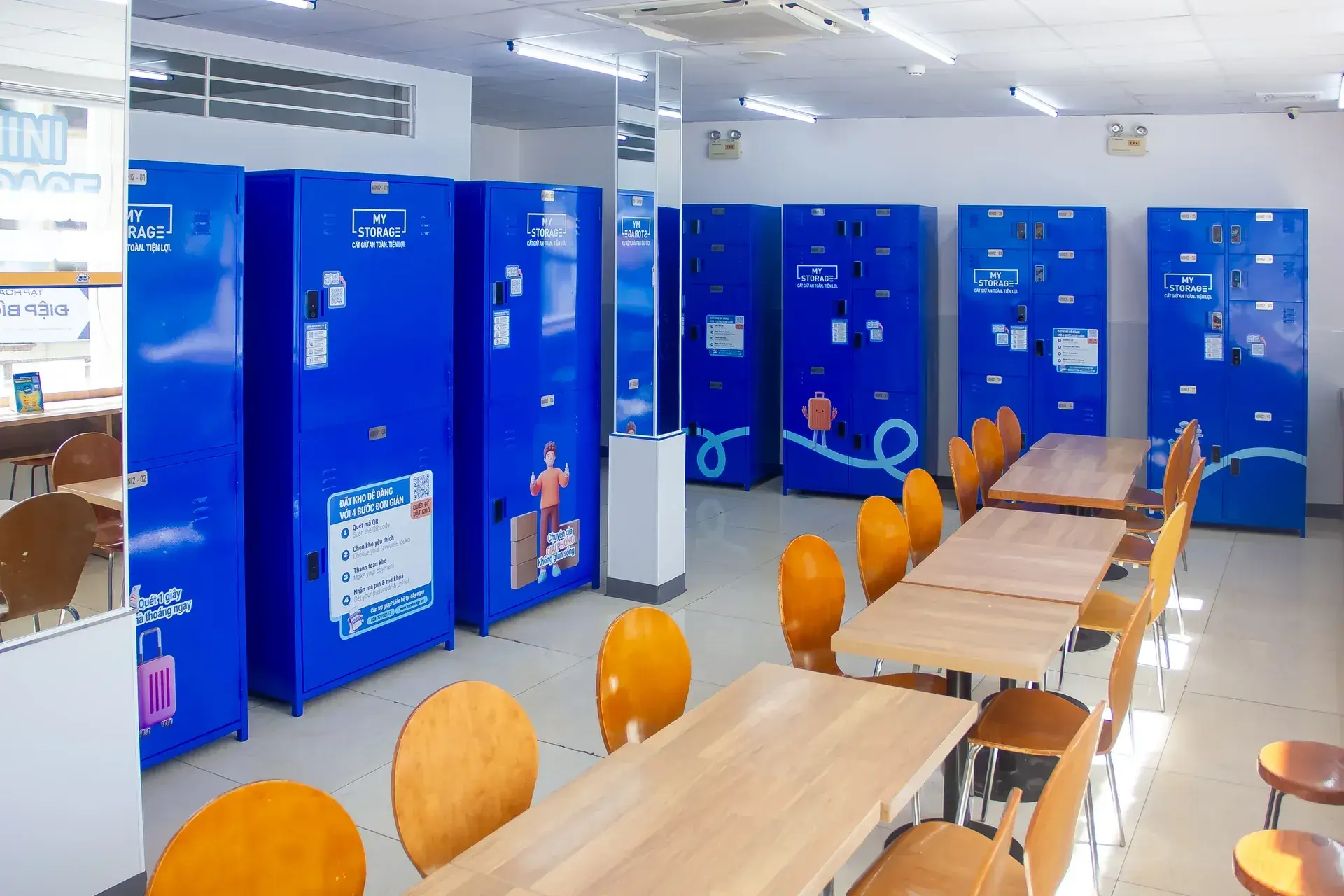
For storage in Ho Chi Minh City, a locker location that fits the day’s route can save an unnecessary detour. Options include Centre Mall District 6, Ministop Tran Trong Cung in District 7 and Ministop 79 Tran Khac Chan in District 1. Before visiting, check access hours, compartment dimensions and the instructions for the chosen location.
Smart Locker vs Traditional Locker: Which Should You Choose?
Smart Lockers suit locations with many users and a need to manage access. Traditional lockers are better for simple storage. The decision should consider user numbers, security, budget, operational capacity and management needs.
|
Criterion |
Traditional locker |
Smart Locker |
|---|---|---|
|
Locking method |
Key, mechanical lock or combination lock |
PIN, QR, RFID, fingerprint or application |
|
User management |
Usually manual |
Can be managed electronically |
|
Access permissions |
Limited |
Flexible |
|
Access history |
Usually unavailable |
Can be recorded |
|
Power supply |
Not required |
Depends on the system |
|
Cost |
Usually lower |
Usually higher |
|
Many users |
Suitable at a basic level |
Better suited |
|
Scalability |
Depends on the design |
Can expand with the system |
When Should You Choose a Smart Locker?
A Smart Locker is worth considering when management requirements go beyond simply locking and unlocking an individual compartment.
- High traffic: many users need the lockers at the same time.
- Access permissions: control is required for each person or group.
- Central management: the entire system should be monitored through software.
- Usage history: access data must be retained for reconciliation.
- Automation: access needs to be issued and revoked quickly.
When Is a Traditional Locker More Suitable?
Mechanical lockers still offer advantages in simplicity and cost for smaller operations.
- Few users: complex access permissions are unnecessary.
- Basic needs: users only require a simple place to store belongings.
- Limited infrastructure: the operator does not want to depend on software or a network.
- Budget: a lower upfront investment is the priority.
For someone who only needs short-term locker storage, the type of lock is not the only consideration. A compartment that fits the belongings, lies along a convenient route and can be accessed at the right time is often more useful than management features intended for the operator.
Factors to Consider Before Choosing
Smart Locker selection should begin with actual operating needs rather than the number of available features. A suitable system balances user experience, investment cost and long-term operational capacity.
- Number and size of compartments: determine these from the types of items and projected usage volume.
- Locking technology: choose a method that suits the environment and users.
- User scale: consider both present demand and future growth.
- Infrastructure: check electricity and Internet availability at the installation site.
- Management software: decide whether central control, reports and access history are needed.
- Maintenance: assess the provider's technical support after installation.
When checking compartment size, start with the largest item and the space needed to pass it through the door. For a suitcase, include wheels and handles in the measurements. With a backpack or soft bag, do not assume it can be compressed without affecting the contents. This avoids choosing a compartment with enough nominal volume but an opening that is difficult to use.
Before committing to a system, operators should test a complete visit: issuing access, storing belongings, retrieving them and helping someone who has forgotten their access details. Trying the process reveals whether it works for both users and support staff, rather than simply showing which features are available.
Smart Lockers provide capabilities that purely mechanical lockers cannot, including access permissions, multi-user administration and automated operation. Their value should still be weighed against the higher initial investment and the need for electricity, network access and regular technical maintenance.
The decision between a Smart Locker and a traditional locker should be based on:
- User numbers: how many people will use the system and how detailed access control must be.
- Budget: the initial investment and the ability to cover operating and maintenance costs.
- Management: whether central administration and usage history are required.
- Infrastructure: the actual availability of power and network connectivity at the site.
At high-traffic locations such as offices, residential buildings, gyms and shopping malls, Smart Lockers often deliver better flexibility and a more modern experience. For simple storage with a limited budget, traditional lockers remain a practical and economical solution.
Frequently Asked Questions About Smart Lockers
1. Is a Smart Locker safer than a traditional locker?
A Smart Locker can improve control through electronic authentication, access permissions and activity logs. Actual security also depends on lock quality, cabinet construction, software and operating procedures.
2. Can a Smart Locker work during a power outage?
It depends on the design. Some systems have batteries or backup power, while others use an emergency opening procedure. Operators should verify the contingency plan before installation.
3. Can a Smart Locker be opened with a phone?
Yes, when the system supports an application, QR code or mobile authentication link. Available functions depend on the provider's software and configuration.
4. How does a QR-code Smart Locker work?
The user receives a time-limited QR code, scans it at the reader and the system opens the assigned compartment. The code can expire when the session ends to prevent reuse.
5. Are Smart Lockers suitable for offices?
Yes. Offices can connect Smart Lockers to employee cards, assign permissions by department and manage shared or fixed compartments.
6. Are Smart Lockers suitable for apartment buildings?
Yes, especially when access needs to be managed by resident, apartment or usage period. The installation location and resident support process should be clearly planned.
7. What determines the cost of a Smart Locker?
Cost normally depends on the number of compartments, materials, lock type, authentication method, control screen, management software, connectivity and maintenance service.
8. Does a Smart Locker need an Internet connection?
Not every system needs a continuous connection. However, remote management, data synchronisation and real-time access assignment usually require Internet access.
9. How often should a Smart Locker be maintained?
The interval depends on usage intensity and the provider's recommendations. Locks, hinges, power supplies, readers and software should be inspected periodically.
10. Should I choose a Smart Locker or a traditional locker?
Choose a Smart Locker when you need multi-user management, access permissions and activity records. Choose a traditional locker when the need is simple, the user group is small and a lower initial cost is the priority.
Related articles
Article
Factory Rental Process in Vietnam: From Legal Setup to Operations and Expansion
A practical guide to renting a ready-built factory in Vietnam: define technical requirements, verify legal, environmental and fire-safety procedures, assess operating support and total…
Read article
Article
How to Protect Wooden Furniture During the Rainy Season: Prevent Mold and Warping
Learn how to protect wooden furniture during the rainy season: identify moisture damage, dry water exposure, pack furniture correctly and manage humidity. Compare standard and…
Read article
Article
What Is Cross-Docking? Process, Types and Applications in Logistics
What is cross-docking, and how does it differ from traditional warehousing? Explore the process, main types, benefits, limitations and industry applications, plus scheduling, data and WMS…
Read article
